1、computed
示例
1
2
3
4
5
6
7
8
9
10
11
12
13
14
15
16
17
18
19
20
21
22
23
24
25
| new Vue({
data: {
users: {
id: 1,
name: "张三",
phone: "123456",
},
},
computed: {
_user: {
get() {
return this.users.name + ":" + this.users.phone;
},
set(value) {
this.users.name = value;
},
},
},
template: `
<div>
{{_user}}
<button @click="name='李四'">setName</button>
</div>
`,
}).$mount("#app");
|
注意:
上述例子可以直接在模板字符串中写undefined:undefined ,模板内的表达式非常便利,但是设计它们的初衷是用于简单运算的。在模板中放入太多的逻辑会让模板过重且难以维护。
2、watch
- watch 是对数据 data 的监听回调,当所依赖的 data 变化时,执行回调,是异步的,会传入
newVal和oldVal.
- 提供两个选项,
immediate用来设置是否在第一次渲染的时候执行,deep用来设置要监听对象内部属性的变化
示例
1
2
3
4
5
6
7
8
9
10
11
12
13
14
15
16
17
18
19
20
21
22
23
24
25
26
27
28
29
30
31
32
33
34
35
36
37
| new Vue({
data() {
return {
n: 0,
history: [],
isUndo: false,
};
},
methods: {
add() {
this.n += 1;
},
undo() {
const last = this.history.pop();
this.isUndo = true;
this.n = last.from;
this.$nextTick(() => {
this.isUndo = false;
}, 0);
},
},
watch: {
n(newN, oldN) {
if (!this.isUndo) this.history.push({ from: oldN, to: newN });
},
},
template: `<div>
{{n}}
<hr>
<button @click='add'>+1</button>
<button @click='undo'>撤销</button>
<hr>
{{history}}
</div>`,
}).$mount("#app");
|
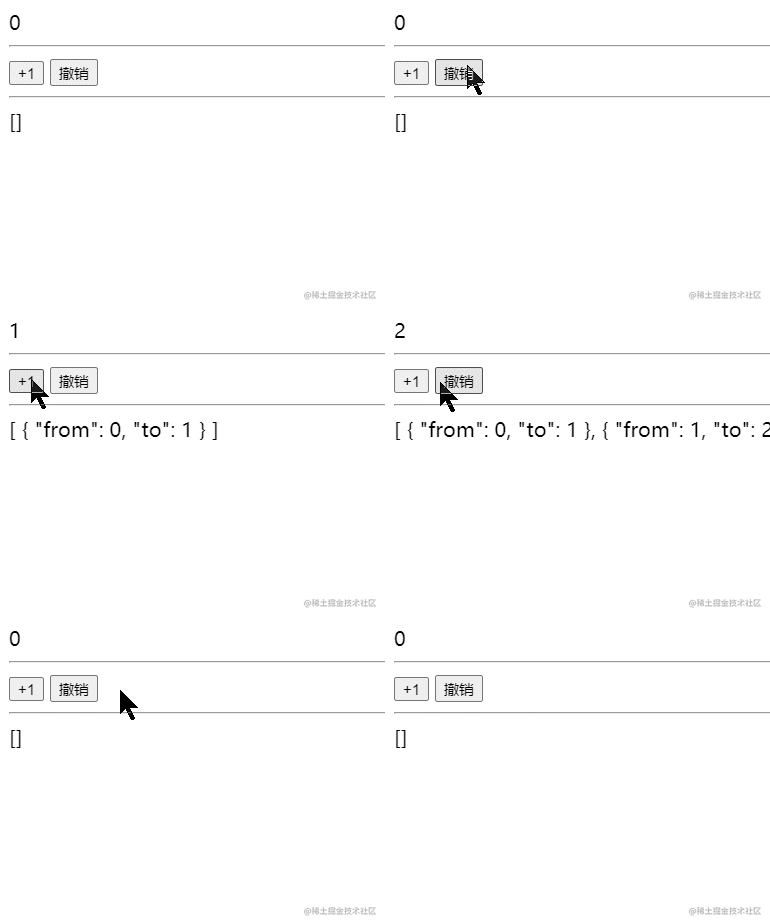
计算属性在大多数情况下更合适,但有时也需要一个自定义的侦听器。当需要在数据变化时执行异步或开销较大的操作时,这个方式是最有用的。